USB-C has made charging simpler in some ways, but understanding charging protocols can still be confusing.
Have you ever connected a 100W charger to your phone only to discover it charges no faster than a 20W charger?
The reason is usually the charging protocol.
In this guide, we’ll explain the most common USB-C charging standards and what they mean for your smartphone, tablet, laptop and accessories.
What Is a Charging Protocol?
A charging protocol is the language spoken between a charger and a device.
When you connect a phone to a charger, they negotiate:
- Voltage
- Current
- Maximum power
- Safety limits
- Temperature protection
If both devices support the same protocol, charging can occur at the highest supported speed.
If they don’t, charging falls back to a slower standard mode.
USB Power Delivery (USB PD)
USB Power Delivery, often called USB PD, is currently the most widely adopted USB-C charging standard.
It is supported by:
- Apple iPhones
- Apple iPads
- MacBooks
- Google Pixel phones
- Samsung Galaxy devices
- Nintendo Switch
- Many Windows laptops
- Power banks
- USB-C monitors
Common USB PD Power Levels
| Voltage | Current | Power |
|---|---|---|
| 5V | 3A | 15W |
| 9V | 3A | 27W |
| 12V | 3A | 36W |
| 15V | 3A | 45W |
| 20V | 5A | 100W |
Newer USB PD 3.1 chargers can deliver up to 240W.
Advantages
- Universal compatibility
- Safe negotiation
- Works across many brands
- Required for many modern devices
Disadvantages
- Not always the fastest option for some Android manufacturers
Programmable Power Supply (PPS)
PPS is an extension of USB Power Delivery.
Instead of using fixed voltage steps, PPS allows the charger to continuously adjust voltage and current.
This improves:
- Charging efficiency
- Heat management
- Battery longevity
Devices Using PPS
- Samsung Galaxy S25 Series
- Samsung Galaxy A56
- Google Pixel devices
- Many modern USB-C chargers
Why PPS Matters
Samsung’s 45W Super Fast Charging requires PPS support.
Without PPS, many chargers will charge Samsung devices at reduced speeds.
This is one of the most common causes of customers reporting slow charging despite owning a high-wattage charger.
Qualcomm Quick Charge (QC)
Quick Charge was developed by Qualcomm.
Before USB Power Delivery became common, Quick Charge was one of the most popular fast-charging standards.
Versions
| Standard | Maximum Power |
|---|---|
| Quick Charge 2.0 | 18W |
| Quick Charge 3.0 | 18W |
| Quick Charge 4+ | 27W |
| Quick Charge 5 | 100W+ |
Devices Using Quick Charge
- Older Android phones
- Qualcomm-powered devices
- Some power banks
Current Relevance
Most modern smartphones now prioritise USB PD and PPS, reducing reliance on Quick Charge.
SuperVOOC
SuperVOOC was developed by OPPO and is also used by OnePlus and Realme.
This technology focuses on delivering extremely high charging speeds.
Common SuperVOOC Speeds
| Power |
|---|
| 65W |
| 80W |
| 100W |
| 120W |
Advantages
- Extremely fast charging
- Low charging times
- Excellent thermal management
Important Limitation
Maximum charging speed often requires:
- A compatible SuperVOOC charger
- A compatible cable
- A compatible phone
Using a standard USB-C charger may result in significantly lower charging speeds.
Warp Charge
Warp Charge is OnePlus’ branding for charging technology based on VOOC and SuperVOOC platforms.
Depending on the phone generation, charging speeds may vary between:
- 30W
- 65W
- 80W
- 100W
Many newer OnePlus devices now use SuperVOOC branding.
Xiaomi HyperCharge
Xiaomi uses its own charging technology called HyperCharge.
Common Speeds
| Power |
|---|
| 67W |
| 90W |
| 120W |
Xiaomi devices often achieve maximum charging speeds only when paired with compatible chargers and cables.
Can Any USB-C Cable Handle Fast Charging?
No.
Many consumers assume every USB-C cable is identical.
This is not true.
Common USB-C Cable Ratings
| Cable Rating | Maximum Power |
|---|---|
| 3A Cable | 60W |
| 5A E-Marked Cable | 100W |
| USB PD 3.1 E-Marked Cable | 240W |
A low-quality or incorrectly rated cable can become the bottleneck in a charging setup.
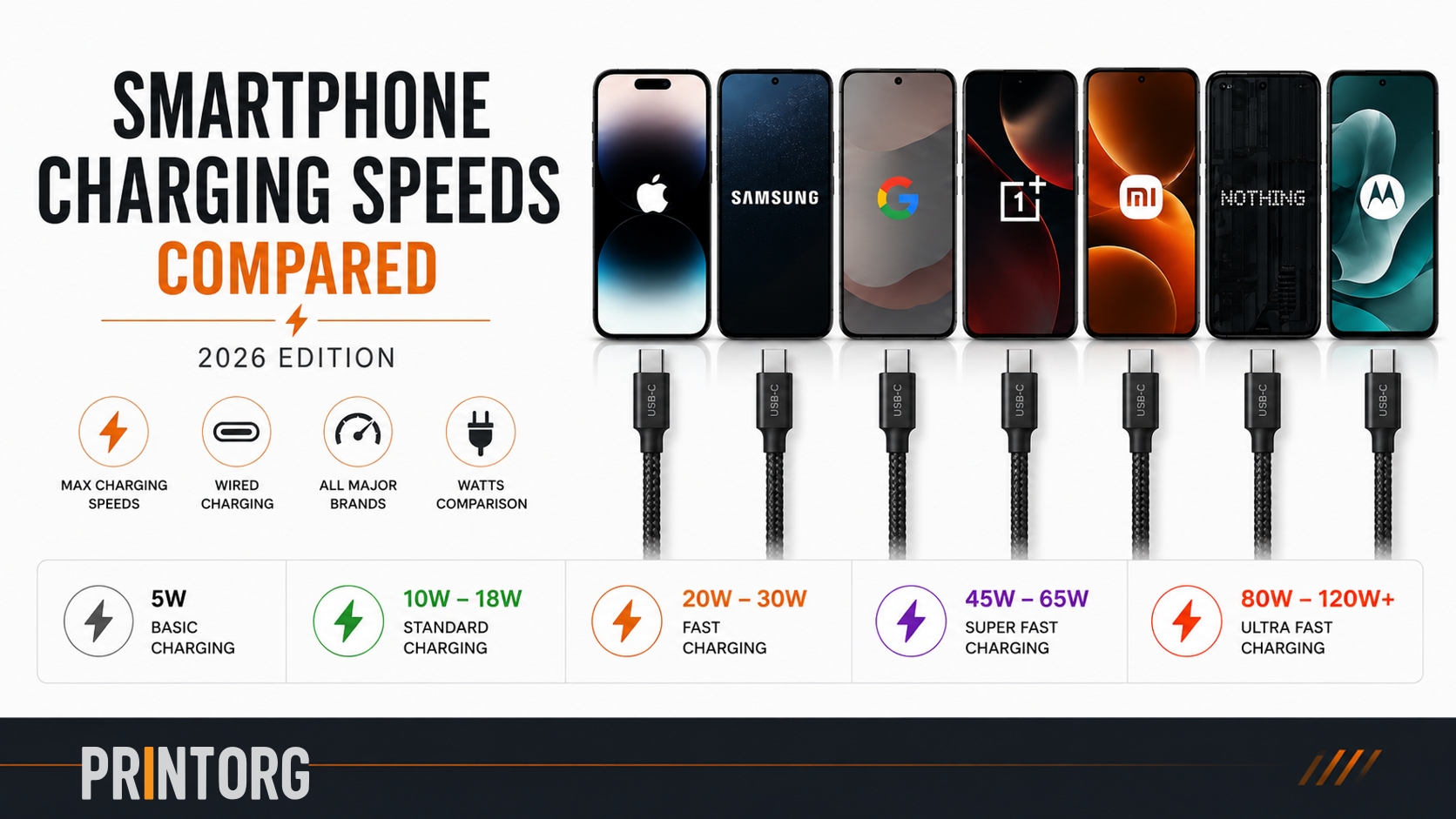
Why Doesn’t My 100W Charger Charge My Phone at 100W?
A charger can only provide power.
The phone decides how much power it wants to receive.
For example:
| Device | Maximum Charging Speed |
|---|---|
| iPhone 16 Pro Max | ~30W |
| Samsung Galaxy S25 Ultra | 45W |
| Google Pixel 9 Pro XL | 37W |
| OnePlus 13 | 100W |
| Redmi Note 14 Pro+ | 120W |
Connecting an iPhone to a 100W charger will not make it charge at 100W.
The iPhone will still draw approximately 27W to 30W.
Which Charging Protocol Should You Choose?
For most consumers, USB Power Delivery with PPS support is currently the safest recommendation.
A good USB-C PD + PPS charger will work well with:
- iPhone
- Samsung
- Google Pixel
- iPad
- MacBook
- Windows laptops
- USB-C accessories
If you own a OnePlus, OPPO, Xiaomi or Realme device and want maximum charging speed, using the manufacturer’s recommended charger is often the best choice.
Final Thoughts
USB-C has significantly improved charging compatibility, but charging speed still depends on more than just the wattage printed on a charger.
To achieve maximum charging performance:
- Use a compatible charging protocol.
- Use a quality charger.
- Use a correctly rated USB-C cable.
- Verify your device’s maximum supported charging speed.
Understanding charging protocols helps you avoid buying accessories that cannot deliver the performance your device is capable of achieving.

One thought on “USB-C Charging Protocols Explained: PD, PPS, Quick Charge, SuperVOOC and More”